Showing posts with label iPhone. Show all posts

Thursday, December 13, 2012

iPhone 5 Resmi Rilis di Indonesia & Kuwait

Tanggal 14 Desember ini, akhirnya iPhone 5 resmi diluncurkan di 50 negara, termasuk Indonesia & Kuwait.


Website Viva beberapa hari menjelang peluncuran resmi iPhone 5

Di Kuwait, dua operator resmi Viva & Zain sudah dibanjiri pertanyaan kapan mereka merilis harga paket kontrak mereka. Viva terlebih dahulu memajang iPhone 5 di website mereka "Coming Soon" semenjak beberapa hari lalu sementara tidak ada tanda-tanda iPhone 5 di website Zain selain promosi jaringan 4G LTE mereka. Menurut beberapa sumber, Zain lebih mengedepankan fasilitas 4G LTE mereka sebagai bukti kesiapan mendukung device 4G, khususnya iPhone 5. Terlihat di website Zain hari ini: The extraordinary iPhone 5 deserves an extraordinary network.


Dengan paket yg relatif agak lebih mahal dari Viva, Zain mengedepankan jaringan 4G mereka

Sementara itu di Jakarta, hype-nya terasa seminggu sebelum hari H. Kuis & lomba gencar beredar, salah satunya dari operator resmi: XL yang giat promosi via social network termasuk Twitter dengan hashtag #kuismamah & #AntriLikeAKing. Mengantri bagai raja ini jadi tema saat peluncuran iPhone 5 tanggal 14 Desember. Lebih lanjut bisa dilihat di sini: AntriLikeAKing.com.


Seru-seruan begini memang khas-nya special event di Indonesia. Walau di Kuwait juga ada kegiatan serupa untuk peluncuran resmi iPhone 5, di Indonesia lebih terorganisir, terkonsep dengan rapi & terasa lebih besar hype-nya. Creativity rulez.

Thursday, March 08, 2012

Quick Review: iPhoto for iOS

Something is missing

At the beginning I was excited. But then, I realized it's just another photo editing & publishing app from Apple. Nothing more. Despite the cool effects feature, something is missing: the direct integration with iPhoto desktop library.

Let me share our story before we talk about iPhoto for iOS.
Here's the daily basis scenario using photos with our iPhone.
  1. Take photos.
  2. Retouch, effects etc then upload to Instagram etc.
  3. After 1000 photos, import all to iPhoto for Mac as the main master database of our photo library. Then delete all the 1000 photos in the iPhone so we'll get new fresh room for another new photos.
  4. Organize the photos in the iPhoto. Keyword, date, album, location, face, etc. And sometimes upload them to Flickr or else.
This is how we organize the ocean of our photos. Archived. Organized. 
But sometimes, we want to take the pictures from the archive - the iPhoto Library database - to our mobile device, iPhone or iPad. There are options we always take:
  1. Create a specific album in iPhoto for Mac.
  2. Open iTunes, sync that album to iPhone/iPad.
  3. Open that album on iPhone/iPad & select photo.
or..
  1. Launch PhotoSync app on desktop.
  2. Drag the photo from iPhoto Library to the PhotoSync app
  3. Launch PhotoSync app on iPhone/iPad.
  4. Receive the photo.
Then last night, Apple announced that they have iPhoto for iOS. I was like.. THIS IS IT! FINALLY! The real iPhoto integration between Mac & iPhone! Seamlessly, wirelessly, iTunes-less integration! iPhoto desktop has iPhoto mobile agent!

I was wrong.
As I wrote before, apparently it's just another photo editing & publishing app from Apple.

The distance between iPhoto for Mac to iPhoto for iOS


Another mobile photo retouching app

I have Camera+, SnapSeed, PhotoForge2, 100Cameras, Plastic Bullet for tweaking the photos. They are all awesome. Do we need another photo editing app? It depends.

For me, the effects feature is fantastic, though a bit slow & sluggish on iPhone 4.


Edits in hi-res. Retrieve back the original photos. Save directly in Camera Roll Library or Albums.
But definitely, it's not a replacement for my SnapSeed & Camera+.


Journals


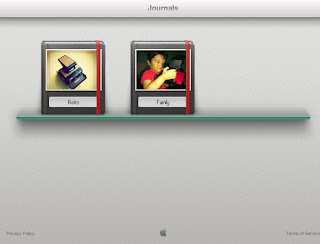
We had .mac photo library in the early 2000s. Then MobileMe Gallery. Now, iCloud Journals. Another  online gallery from Apple but lack of many online features such as reshare or URL link for each photos just like MobileMe or .mac had.


Select photos from library & put them in Journals album. Put the photos with widgets: map, notes, weather, header as additional elements. What you edit here, sync directly to iCloud. Delete one journal in iPhone, deleted also on the iCloud. Keep in mind, by default, free iCloud only has 5GB space.

This is how it looks in the iCloud. Neat eh?


You can check my Journals here.

If you're an ex MobileMe user, this Journals is too basic compare to MobileMe Gallery. Remember how it looks & the features?


You can reshare, reupload, edit & sync directly from iPhoto for Mac. Maybe Apple have hidden plans for adding similar features on Journals in the future? We'll see.


Is it a must have app?


Again (and again) it's just another photo editing app. I was expect more, like the integration with iPhoto desktop. Journals feature, is what makes this app different with other photo editing apps. If you have an iCloud account, Journals is one good feature to add. Though it's not mature yet.

Monday, June 13, 2011

Testing the iOS 5 beta 1

iPhone 4
Good news:

Posted using Mobypicture.com

Posted using Mobypicture.com

• "Connect to iTunes" still exist at the first setup. Even the MobileMe still exist in this pre-iCloud era.

• 'iPod' is gone. Now changed to Music app & Videos app.

• Green bubble chat: SMS. Blue bubble chat: iMessage.


• Yay! Free rotation editing in Photos.app.

Posted using Mobypicture.com

Posted using Mobypicture.com

• After created an iCloud account in the iPhone, it appears in Notes.app. And also in Contacts: All iCloud.

PhotoSync.app for iPhone crashes. The developer are working on a fix already. New update of PhotoSync 1.2 now working.


• Double click the home button for the camera icon in the lock screen.

• You can tweet your photo from Photos app without Twitter app installed. Though there's no sending-progress indicator so you won't know if it sent or failed.


• Notification Center doesn't interupt Nike+ GPS in indoor mode.

Bad news:

• iMessage cannot send video file. :-/

• Unprecission keypad. Tap "T" but typed "R" or "Y" instead.

• Video library is not accessible for other app, incl. Tumblr. (pic)

• Twitter, iMovie etc can access the video library but cannot process the file. (pic) If you want to share video, you can upload it from Photos.app > Share > Email. I can upload video file via email to twitvid. http://www.twitvid.com/CWZMP

• Ergonomically, using volume button as camera button is not convenient. The other fingers keep blocking the lens.


• BlogPress fails to upload blog.

Posted using Mobypicture.com

• iBooks is buggy.

• Photo Stream synced after more than 10 minutes. And not all the photos are streamed.

• Problem with email sharing from Photos.app. Takes forever to send for a 200kb photo.


iPad

• There's no Weather & Stock in Notifications setting.

• Home Sharing's podcast tab is missing in Videos.app. But I can watch video podcast shared from Home Sharing in Music.app, not in Videos.app.


• The Notification Center UI is too tiny for iPad. Waiting for the 'HD' interface.

Overall: there's no turning back to iOS 4! :)

(..updating)

Tuesday, April 19, 2011

Red Giant Invades iOS

Anyone who works with video post production service are familiar with Red Giant software. Their Magic Bullet Looks plug-in is amazing. Been using it on my FCP & AFX.

Anyway.
Now Red Giant releases apps for iPhone, iPod Touch & iPad. They just released 3 apps:


- Movie Looks: color grading app for video.


- Plastic Bullet: photography app with radical/extreme effects.


- Noir: photography app with dramatic black & white effects.

Haven't purchase the Movie Looks but there are some important points that I tweeted last night:
- Red Giant Movie Looks for iOS is available for $2.99.
- Suspend & resume to interrupt the render when take a phone call & return to where we left off. Nexvio CinemaFX's missing feature.
- The color are beautiful. Usually I can get this kind of color with Magic Bulllet Looks in FCP or AFX, but now on iPhone.
- Movie Looks does not yet support portrait movies.
- Movie Looks does not yet support more thant 120 seconds video.
- Though the color is great, you can see the 'damaged' artefacts on the jelly fish body.


Red Giant is here, time for proper color grading on iDevice?

note: none of these pictures & videos are mine

Wednesday, March 30, 2011

Vimeo Goes Mobile With iPhone 4

Akhirnya Vimeo merelease aplikasi resminya di AppStore untuk iPhone 3G, iPhone 4 & iPod Touch 4. Cukup lama para Vimean (panggilan untuk pengguna Vimeo) yang menggunakan iDevice menunggu Vimeo untuk sepenuhnya mendukung HTML5 sebagai alternatif selain Flash supaya bisa ditonton di Mobile Safari. Dan kini justru hadir native apps-nya untuk iPhone. Mari bersorak: yay!

Awalnya saya tidak menduga aplikasi Vimeo ini bakal dilengkapi feature editing. Sebelum kita upload ke Vimeo ternyata terdapat fasilitas untuk mengedit footage. Saya jabarkan secara garis besar mengenai fungsi penyuntingan videonya:

Nilai tambah:

  • Gratis!
  • Interface clean & simple. Mengingatkan pada interface dari Ableton Live.
  • Terdapat fungsi timeline zooming, membuat timeline bisa muat dalam satu layar iPhone. Pinch out untuk zoom in melihat timeline lebih detail.
  • Title memiliki track sendiri. Mempermudah kita untuk membuat beberapa subtitle dalam satu clip.
  • Audio adjustment.

Track tersendiri untuk TITLES. Bandingkan dengan iMovie yang TITLES-nya bergantung pada clip video.

Nilai kurang.

Hanya menyediakan 6 lagu & tidak bisa akses koleksi lagu dari iTunes Library

Tersedia efek video yang ala kadarnya
  • Tidak bisa akses iTunes Library. Aplikasi ini hanya menyediakan 6 lagu dalam audio librarynya.
  • Saving ke Camera Roll tidak ada pilihan kualitas rendering selain 720p.
  • Buggy & sluggish mulai dirasakan saat timeline melewati durasi 30 detik. Di iPhone 4 beberapa kali crash & last progress dari project tidak ter-save.
  • Tidak memiliki template graphic.
Saran saya, jika ingin menyunting video, gunakan iMovie for iPhone/iPad, render & upload ke Vimeo di dalam iMovie. Atau paling tidak tunggu hingga fitur penyuntingan ini lebih stabil.

Lepas dari fitur penyuntingan videonya, Vimeo app ini sangat bermanfaat buat pengguna Vimeo. Semua fungsi di website hampir semuanya terdapat dalam aplikasi ini. Preview, share, tags, comments kini bisa dilakukan secara mobile di iPhone.


View video, share, tags, comments etc di dalam iPhone


Share options.


My video library! Tanpa harus menjadi pengguna VimeoPlus.

Sebagai Vimean ber-iDevice, all-in-one app ini wajib adanya. And it's FREE!


Mencoba Vimeo app. Diedit & diupload dari app setelah crash 2 kali :D

Friday, July 02, 2010

A Moment with Finger Video Editing on iPhone 4

IMG_0851

Seorang teman di sini memesan unlocked iPhone 4 dari UK. Setibanya di Kuwait, kami diberi kesempatan untuk mencicipi iPhone generasi ke-empat ini. Sekedar ingin tahu bagaimana rasanya melakukan kegiatan video, dari pengambilan gambar hingga editing.

Untuk pengambilan gambar, tap-to-focus sangat membantu untuk mendapatkan kesan shallow focus. Tidak ada yang istimewa selain itu.


Focused, unfocused

Namun begitu mencoba iMovie.app, sebuah pengalaman baru menyunting video dalam sebuah layar kecil. Tepatnya: menyunting video dengan jari telunjuk. UI & navigasi di dalamnya sangat touchable & bersahabat. Amazing, saya bisa scrubbing video dengan jari saya di dalam sebuah 'mesin editing' sekecil ini. This is true finger scrubbing for video editing. Finger editing!

Video di bawah diedit langsung di iMovie.app & di-export sebagai HD 720p (half-HD).

Wednesday, December 30, 2009

Quick Comparison: iPhone 2G/3G Video Recorder

While Apple is no longer giving total support on 2G & 3G iPhone, some developers actually still give supports by providing new capabilities in this 1-2 year old product: video recording. Only in a matter of days, there are already 5 to 6 video recording applications for iPhone 2G/3G in the AppStore, including Qik VideoCamera that released today.

But how about the ability & quality of these apps when handling video recording task in the old device? Here's a quick comparison from 4 apps I consider the best plus 1 from Cydia (jailbroken iPhone).

Qik VideoCamera ($0.99) (link iTunes & website)
iVidCam (free & $0.99) (link iTunes & website)
iVideoCamera ($0.99) (link iTunes & website)
ShowTime ($0.99) (link iTunes & website)
VideoRecorder3 ($19.95) (link website)


Summary:

Qik Video Camera
Pro: Better frame rate, save to Camera Roll, H.264 compression
Cons: Portrait recording only

iVidCam
Pro: Biggest frame size, 10x digital zoom, free version is available
Cons: Only upload to YouTube

iVideoCamera
Pro: Upload to YouTube, Vimeo, Facebook, email & save to Camera Roll
Cons: Smallest frame size, limited recording time

ShowTime
Pro: 5x digital zoom, share via email
Cons: Portrait recording only

VideoRecorder3
Pro: Upload to YouTube & email, best frame rate, MPEG4 compression
Cons: Expensive, only for jailbroken iPhone

Go get one, give your old iPhone another chance to reveal its true ability.

Thursday, December 24, 2009

Quick review between iVidCam & Cydia VideoRecorder3

Seems Apple loosening it's grip for video feature on iPhone 2G/3G. Now new video recording apps for iPhone 2G/3G are available on AppStore. But are they good? Are they worth the price? Do we still need iPhone 3GS?
I pick 1 app from the AppStore called iVidCam & my favorite VideoRecorder3 app from Cydia (for jailbroken iPhone) for a quick review.


iVidCam ($0.99) (link)

Low light environment


Outdoor


Pro:
- Good quality video
- Encodes to MP4 for smaller size of file. Handy for EDGE network
- Sharing to YouTube
- Portrait & landscape recording 427 x 320
- No recording time limit

Cons:
- Low frame rate: 3 fps
- No option to save to Camera Roll
- No option to share via email

Note:
- Failed sending the file to Twitvid.com via email (using Cydia File2Mail app) due to Motion JPEG codec of the MP4 file


Cydia VideoRecorder3 (link)

Low light environment


Outdoor


Pro:
- High frame rate: up to 15 fps
- Encodes to MP4 for smaller size of file. Handy for EDGE network
- Sharing to YouTube
- Sharing via email (upload to Twitvid.com is possible)
- Portrait & landscape recording 384 x 288
- No recording time limit

Cons:
- Bad quality video - video becomes reddish
- No option to save to Camera Roll
- Only for jailbroken iPhone


Summary:
- Apple only allows 3 - 7 fps for the frame rate in their developer kit. Since Cydia developer not bound by Apple restrictions, they can push for higher fps. Cydia VideoRecorder3 is the winner
- Low fps helps capturing more lights and hence better video quality. iVidCam is the winner

So do we still need iPhone 3GS?

Wednesday, May 06, 2009

iPhone Camera.app vs Photos.app

I prefer Camera.app instead of crappy useless Photos.app in the iPhone.

Why?

Okay. It happens to me. I'm on the iPhone, in the middle of taking photo and want to upload it instantly via mail. No problem. Open Camera.app. Take photo. Close and open Photos.app. Choose the photo. Email it.


You can email photos without quiting Photos.app & Camera.app

But suddenly something else is happening and I need to take new photo. I can't! Because it's in the middle of emailing progress. I have to wait till it finish and jump to Camera.app. By the time it's emailed, the moment has gone.


Left, Camera.app with camera icon. Right, Phones.app without

With Camera.app, you can take photo, email it and turn on the camera right in the middle of uploading progress. Just click the Camera icon on the top right screen. In Photos.app, this icon is missing.

So is there anyway to delete this Photos.app in my iPhone?

Sunday, February 15, 2009

Using the iDisk file sharing feature in iPhone

Till now, there are no single app for using the long-promised iDisk file sharing feature in the iPhone. Even from Apple itself. But since I got this trick, there is a hope to use this feature.

First.
Fire up the Notes.app.

Type :
http://public.me.com/yourname/filename?disposition=download

Insert your iDisk username in [yourname] and the filename [filename]

Example
public.me.com/pinot/apple.png?disposition=download

Second.
Click the 'MAIL' icon to launch Mail.app.

That's it. You're ready to send the URL of the shared file.

Everytime you need to share the iDisk file, just repeat the step and change the filename.

This trick has some major hassles though :
- You have to remember the file name that you want to share. You can download the free version MobileFiles.app to view to iDisk folders on the go.
- There is no copy paste. Your brain is your clipboard. So, keep the file name simple and easy to remember.
- You can only share files from your iDisk Public folder *bummer*

Related stories :
- Direct Link from Public Folder in iDisk
- Delayed iDisk "Share File" Feature?
- Where's the iDisk "Share File" Feature?

Thursday, February 05, 2009

iPhone & Citizen Journalism


13 Mei 1998.
Perjalanan pulang kantor, menyaksikan suasana rusuh. Di mana-mana asap dan api. Bakar sana bakar sini. Ada hasrat merekam peristiwa tersebut dan membuat live report, sekedar membantu menambah informasi yang didapat teman-teman di redaksi saat itu. Di mobil saya hanya ada laptop tua PowerBook 165c tanpa sambungan internet, handphone tanpa kemampuan fax & data dan video8 handycam tanpa interface digital (FireWire? What FireWire?). Apa daya? Saya hanya manyun memandangi peristiwa yang menorehkan luka dalam sejarah negeri ini. Terekam dalam otak, tapi tidak bisa berbagi kepada seluruh dunia.

2006 ke atas. Era-nya citizen journalism. Setiap orang bisa merekam peristiwa penting dan tersiar ke seluruh dunia, bahkan LIVE UPDATE. Thanks to the internet and media sharing sites. YouTube, Flickr, Facebook, Twitter, Qik to name a few. Any kind of device that can connet to the internet, can share medias straight to worldwide. Instantly. Dan device di tangan saya : iPhone.

Saya bukan reporter atau jurnalis profesional. Saya hanya warga biasa, mempersiapkan diri dalam status siaga, yang jika menjumpai sebuah peristiwa, tidak hanya menjadi penonton tapi juga berbagi cerita. Saatnya mengoptimalkan iPhone saya.

Citizen Journalist's Tools
Hal yang perlu dilakukan adalah sign-up ke beberapa website seperti di bawah ini :

- Flickr : Photos sharing site
- YouTube : Videos sharing site
- Facebook : Social networking site
- Qik : Video streaming site
- Twitter : Social networking & micro-bloggin site
- Blogger/Wordpress : Blogging site

Serta situs yang mengkhususkan untuk citizen journalism seperti :
- NowPublic
- Fox
- CBS

Selanjutnya, saya install beberapa aplikasi-aplikasi seperti ini :


- Mobile Fotos
- Qik
- Twittelator
- Tumblrette
- Facebook
- BlogPress
- Pixelpipe
- ShoZu

Beberapa saya jabarkan secara detail.


Mobile Fotos (US$ 2.99)
Aplikasi yang dulunya bernama MobileFlickr ini bertugas mengirim foto dari iPhone langsung ke account Flickr. Flickr sendiri merupakan situs photo sharing terbesar dan menjadi kiblat foto-foto citizen journalist (foto-foto banjir Jakarta di bulan Februari 2007 - jaman belum ada iPhone - yang kami dokumentasikan, dipinjam oleh beberapa situs berita seperti NowPublic.com)


Qik (free - jailbroken iPhone get from Cydia)
Live video report kini tidak hanya dimonopoli stasiun TV, tapi sekarang siapa pun bisa melakukan live video report dengan bantuan aplikasi Qik ini - mengirimkan streaming video langsung dari iPhone ke internet (melalui situs www.qik.com).
Selain Qik, terdapat juga Flixwagon.


Twittelator Pro (US$ 4.99)
Merupakan salah satu aplikasi Twitter paling powerful di iPhone. Twitter sendiri adalah sarana sosial online yang kini sedang jadi pembicaraan hangat seputar fungsinya sebagai citizen journalism tool. Walau layanan Twitter sendiri sudah ada dari sejak 2006, namun perannya sebagai alat jurnalistik merebak saat penyerangan teroris di Mumbai, India beberapa waktu lalu.

Hal lain yang perlu dipersiapkan adalah unlimited internet connection (EDGE/3G/HSDPA). Dengan begitu, apa pun yang terjadi, saya bisa publish on the spot. Tidak seperti saat hujan es April 2008 lalu, harus pulang dahulu untuk konek ke internet. Maunya 'breaking news', tapi baru publish 2 - 3 jam setelahnya ^_^

Oke. Saatnya stand by.
Semoga begitu ada peristiwa penting, batere iPhone ngga lagi drop ^_^

References :
http://www.uslaw.com/library/Copyright_Law/iPhone_Enable_Citizen_Journalism.php?item=165093
http://www.appleiphoneapps.com/2009/01/iphone-is-changing-journalism/
http://www.cyberjournalist.net/tag/iphone/
http://www.10000words.net/2008/07/how-iphone-will-revolutionize.html
http://newassignment.net/blog/tom_cheredar/dec2008/07/knoxnews_makes_c

Tuesday, August 05, 2008

From AppStore : I Am Rich (and Stupid)


Ada software baru release berjudul : I Am Rich.
Harganya? US$ 999.99 (software AppStore termahal setelah MyAccountsToGo US$ 499)
Gunanya? Pamer jadi orang kaya.

Ini quote dari AppStore :
The red icon on your iPhone or iPod touch always reminds you (and others when you show it to them) that you were able to afford this. It's a work of art with no hidden function at all.

Able to afford this stupidity?? A work of art??? Mengatas namakan seni dan melecehkannya :P

Gue ngga ngerti kegunaan (yang masuk akal) dari software ini. Lihat screenshot-nya sendiri tidak menunjukkan sebuah program yang advance - senilai harganya. Dengan jumlah segitu, gue mending beli software grafis dari Adobe sekalian.

Asli ngga habis pikir :P

UPDATE :
- TUAW's Robert Palmer wrote this stupid app. I have the same concern with him, I wish that I will not accidentally press the "BUY APP" button and drain my credit card for nothing. Apple, do something for this stupidity, please. It's just make the AppStore looks stupid as this app.

Review : Preschool App for iPhone/iPod Touch


Kami, sebagai gadgetarian dan orang tua dari 2 toddler, sudah sepantasnya memperkenalkan gadget dengan cara yang baik dan benar. Saat iPhone mulai dibanjiri software-software official dari Apple, langsung ngubek cari software untuk toddler. Dari sekian banyak -- seperti yang diulas di MacWorld -- kami membeli sebuah software education berjudul "Preschool Adventure" seharga US$ 0.9 (Rp 10.000-an).

Software ini pada dasarnya tidak berbeda jauh dengan educational software lainnya, dilengkapi dengan gambar & suara. Silakan tengok video demonya.


Isi dari software ini terdiri dari 4 halaman : warna, bentuk, tubuh dan suara.


Pada halaman warna, anak-anak diajak untuk mengenal warna dengan menyentuh 7 warna yang setiap disentuh akan berubah bentuk menjadi hewan-hewan laut, lengkap dengan suara dalam bahasa Inggris.


Halaman bentuk, terdapat 5 bentuk dengan 5 warna berbeda : segitiga, oval, kotak, persegi panjang & lingkaran. Seperti halaman sebelumnya, setiap item akan berubah sesuai bentuknya, juga dengan suara.


Halaman tubuh, anak-anak diperintahkan untuk membentuk sebuah tubuh kera, dengan cara menyentuh setiap bagian tubuh yang tersebar : mata, kaki, hidung dan lainnya. Setiap bagian tubuh yang disentuh akan mengeluarkan suara dan bergabung dengan bagian tubuh lainnya. Hingga akhirnya tubuh terbentuk sempurna, terdengar suara tepuk tangan dan suara kera *UUIKK UIIKK UUUKK UUKKK*


Halaman suara, terlihat suasana peternakan dengan hewan-hewan ternak di dalamnya. Masing-masing hewan akan bersuara jika disentuh.

Arwen dan Leia seneng banget dengan software ini. Ngga bosen-bosennya pinjem iPhone gue. Katanya, "Mo liat monkey! Mo liat horse!" Huehehehehehe.. hitung-hitung memperkenalkan bahasa Inggris di kepala mereka.


Preschool Adventure
US$ 0.99
http://www.3dal.com

More info about this software in iTunes AppStore :
http://phobos.apple.com/WebObjects/MZStore.woa/wa/viewSoftware?id=286526367&mt=8

Notes :
Bagaimana pun, penggunaan barang elektronik oleh balita seperti ini harus selalu diawasi dan dibatasi karena berbagai alasan perkembangan kesehatan (radiasi selular), kejiwaan (addiction) dan teknis (iPhone dibanting atau diilerin :D )