Sunday, March 06, 2011

Tuesday, March 01, 2011

Oleh-oleh Dari Yerba Buena Center

Tampak depan gedung YBCA San Fransisco beberes untuk iPad 2 launching tgl 2 Maret nanti.


UPDATE:
Di depan pintu masuk YBCA ada beberapa bendera warna warni berkibar. Masih ada hubungannya dengan 'colorful dots' di event Apple? Connecting the dots? Seperti yang selalu diucapkan Steve Jobs "Creativity is about connecting the dots"?
*spekulasi mode on*


Oleh-oleh dari @galihwismoyo (from Instagram)

Monday, February 21, 2011

iPod Touch 64Gb for 1 KD


Ada promosi paket dari Viva: iPod Touch 64Gb seharga 1 KD (Rp 30 ribu perak saja) dengan paket internet 18 KD 2 tahun. Sikaaattt!!!

Sunday, January 23, 2011

Video Review: Teddy's Night

Another iPad interactive book for children with beautiful illustration from Auryn Inc: Teddy's Night ($3.99).


Monday, December 20, 2010

Video Review: Teddy's Day

A children interactive book app for iPad from Auryn Inc: Teddy's Day

Friday, October 29, 2010

Vlogging with Canon 5D Mark II & iPad


iPad can be an ultimate vlogging tool. Though it has no camera, we can import videos from any device via iPad Camera Connection Kit, means you can get any video file from some devices including Canon 5D Mark II.


And it means, you can vlogging with DSLR quality videos. Not to mention the lens variations for the video. Problem is, the iPad can only read 640x480 video files from 5D Mark II. (you can import 1080p HD video but iPad Photos.app can't read them).

Importing
First thing first, you'll need Apple iPad Camera Connection Kit ($29). It comes with 2 connectors: SD card reader connector & USB connector. Since 5D Mark II comes with CF card, you'll need card reader & connect it to the USB connector. Or, connect the 5D Mark II directly to the USB connector.

The Photos.app will automatically launch & shows Camera page with the thumbnails from the camera. Select the 640x480 videos to import to 'All Imported' album.


Editing
Currently, there's only one video editing app for iPad: ReelDirector ($4.99).
Once the video files imported in the Photos.app library, we can access them in the ReelDirector.app & start to edit. For me, iPad 10 inch screen is decent enough to edit quick instant video.


Uploading
Finish editing, render & ready to upload. In ReelDirector you have 3 compression options. I'd prefer to use the 'High Quality Option' though it has bigger file size. Well, video from DSLR deserve that quality, right? Though, you'll need a 3G or better internet connection for that.

Enjoy the DSLR quality vlogging.

ps: with this process, I think I can call it a mobile-vlogging? Bulky mobile-vlogging? :D

Tuesday, August 17, 2010

Macintosh Color Classic is ALIVE!

Setelah didiamkan terhubung dengan listrik selama satu malam, akhirnya pas sahur iseng tekan tombol power, eh kok ada suara krak krik krak krik & bunyi fan. Diikuti bunyi 'DING'! HORE! Macintosh Color Classic yang tadinya bisa tidak ada reaksi akhirnya bangun dari mati suri selama 10 tahun lebih!


Ada yang mau pakai Photoshop 3.0? ^_^

Kembalinya Si Anak Hilang

Old ColorClassic

10 tahun lebih, dia terpisah dengan tuannya. Dibawa pergi oleh seorang sahabat.
Hingga akhirnya pada tanggal 16 Agustus, ditemukan dalam keadaan berdebu & dirubung sarang laba-laba. Tak ada nadi kehidupan. Matanya menatap jendela seperti menunggu tuannya datang menjemput.

Kubawa pulang.
Kubersihkan.
Kumandikan.
Dan alhamdulillah, kamu masih menyala!
Terdengar nada hidup & gemericik putaran harddisk.

The adorable Macintosh Color Classic

Beberapa hari kunikmati kebersamaan kita. Bermain & bercengkerama.

Namun sayang, maaf jika ku harus tinggalkan mu lagi. Aku harus pergi jauh & aku takkan mungkin membawamu pergi.
Tapi paling tidak, kamu sudah di rumah. Sudah ada yang merawatmu. Nanti kita jumpa lagi saat aku pulang.

The adorable Macintosh Color Classic

Selamat tinggal & sampai jumpa, Color Classic ku.

Sunday, August 15, 2010

Yay! Got PowerBook Duo 230

Someday my friend, I will resurrect you. Be patient.

Thursday, July 29, 2010

iPad Camera Connection Kit


Some points about this kit:
- iPad automatically opens Photos.app when the kit plugged (with SD card in it) in to the iPad.
- Before import, we can see the small thumbnails of photo & video, but we cannot zoom it (pinch out) for bigger preview.
- Not all video format can be imported directly to the Photos.app. In our test, we can import recorded video with Photo JPEG codec (from Nikon Coolpix P1) but not H.264 codec (from Canon EOS 500D).


- We can plug our Canon EOS 500D via USB & the Photos.app reads images in the memory card.
- We can plug USB Flash disk to the kit & the Photos.app detects images inside DCIM folder.
- We can plug USB card reader to the kit & the Photos.app detects images from any kind of memory cards.
- We can plug the iPhone via USB & the Photos.app reads images from iPhone Camera Roll.
- We can plug self-powered portable hard drives (note: flash drives & portable hard drives may not work as it relies for the USB adapter for power)

More review about iPad Camera Connection Kit
http://www.dslrphoto.com/dslr/apple-ipad-camera-connection-kit-review-roundup,15716.html

Wednesday, July 07, 2010

iMovie for iPhone 4: Something is missing

iMovie for iPhone 4 is the ultimate weapon for vlogging. It's a powerful editing app in a tiny mobile device. But something essential is missing: Cut tool for clip splitting. Yes we can trimming the clip but it's a bit annoying to drag the trim 'handles' on the whole clip, especially when that one clip has multiple scenes & we want to remove the unnecessary scene.


IDEA: double tap the clip to reveals the trim 'handles' & cut 'handle'

Wish Apple will add this tool in the future update for iPhone 4 iMovie.

Friday, July 02, 2010

A Moment with Finger Video Editing on iPhone 4

IMG_0851

Seorang teman di sini memesan unlocked iPhone 4 dari UK. Setibanya di Kuwait, kami diberi kesempatan untuk mencicipi iPhone generasi ke-empat ini. Sekedar ingin tahu bagaimana rasanya melakukan kegiatan video, dari pengambilan gambar hingga editing.

Untuk pengambilan gambar, tap-to-focus sangat membantu untuk mendapatkan kesan shallow focus. Tidak ada yang istimewa selain itu.


Focused, unfocused

Namun begitu mencoba iMovie.app, sebuah pengalaman baru menyunting video dalam sebuah layar kecil. Tepatnya: menyunting video dengan jari telunjuk. UI & navigasi di dalamnya sangat touchable & bersahabat. Amazing, saya bisa scrubbing video dengan jari saya di dalam sebuah 'mesin editing' sekecil ini. This is true finger scrubbing for video editing. Finger editing!

Video di bawah diedit langsung di iMovie.app & di-export sebagai HD 720p (half-HD).

Wednesday, June 30, 2010

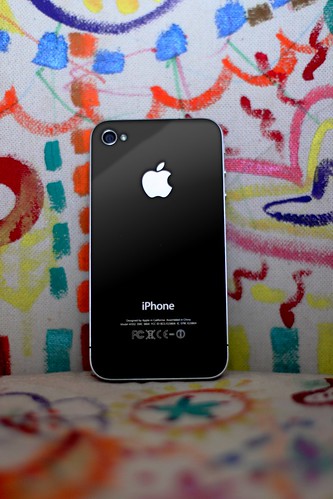
iPhone 4 has landed


iPhone 4 & photo are courtesy of @aperdana

Wednesday, April 21, 2010

When The Kids Met The iPad


"Young children think with their fingers. If they see something, they jab at it."

"iPad evaporated the abstract link between a child’s hand and the more abstract screen images, so no game controller or mouse is needed."

I read these article and tried to hand our kids the iPad. Yup, Warren Buckleitner was right. Our kids enjoyed the iPad within seconds. No hints, no instructions. iPad is the child's best friend :)

Hardware: Canon EOS 500D with 50mm Æ’1.4, MacMini
Software: FinalCut Pro with Magic Bullets Looks
Music: After School Snacks by Freeplay Music (World Chill Volume 13)

Wednesday, December 30, 2009

Quick Comparison: iPhone 2G/3G Video Recorder

While Apple is no longer giving total support on 2G & 3G iPhone, some developers actually still give supports by providing new capabilities in this 1-2 year old product: video recording. Only in a matter of days, there are already 5 to 6 video recording applications for iPhone 2G/3G in the AppStore, including Qik VideoCamera that released today.

But how about the ability & quality of these apps when handling video recording task in the old device? Here's a quick comparison from 4 apps I consider the best plus 1 from Cydia (jailbroken iPhone).

Qik VideoCamera ($0.99) (link iTunes & website)
iVidCam (free & $0.99) (link iTunes & website)
iVideoCamera ($0.99) (link iTunes & website)
ShowTime ($0.99) (link iTunes & website)
VideoRecorder3 ($19.95) (link website)


Summary:

Qik Video Camera
Pro: Better frame rate, save to Camera Roll, H.264 compression
Cons: Portrait recording only

iVidCam
Pro: Biggest frame size, 10x digital zoom, free version is available
Cons: Only upload to YouTube

iVideoCamera
Pro: Upload to YouTube, Vimeo, Facebook, email & save to Camera Roll
Cons: Smallest frame size, limited recording time

ShowTime
Pro: 5x digital zoom, share via email
Cons: Portrait recording only

VideoRecorder3
Pro: Upload to YouTube & email, best frame rate, MPEG4 compression
Cons: Expensive, only for jailbroken iPhone

Go get one, give your old iPhone another chance to reveal its true ability.

Thursday, December 24, 2009

Quick review between iVidCam & Cydia VideoRecorder3

Seems Apple loosening it's grip for video feature on iPhone 2G/3G. Now new video recording apps for iPhone 2G/3G are available on AppStore. But are they good? Are they worth the price? Do we still need iPhone 3GS?
I pick 1 app from the AppStore called iVidCam & my favorite VideoRecorder3 app from Cydia (for jailbroken iPhone) for a quick review.


iVidCam ($0.99) (link)

Low light environment


Outdoor


Pro:
- Good quality video
- Encodes to MP4 for smaller size of file. Handy for EDGE network
- Sharing to YouTube
- Portrait & landscape recording 427 x 320
- No recording time limit

Cons:
- Low frame rate: 3 fps
- No option to save to Camera Roll
- No option to share via email

Note:
- Failed sending the file to Twitvid.com via email (using Cydia File2Mail app) due to Motion JPEG codec of the MP4 file


Cydia VideoRecorder3 (link)

Low light environment


Outdoor


Pro:
- High frame rate: up to 15 fps
- Encodes to MP4 for smaller size of file. Handy for EDGE network
- Sharing to YouTube
- Sharing via email (upload to Twitvid.com is possible)
- Portrait & landscape recording 384 x 288
- No recording time limit

Cons:
- Bad quality video - video becomes reddish
- No option to save to Camera Roll
- Only for jailbroken iPhone


Summary:
- Apple only allows 3 - 7 fps for the frame rate in their developer kit. Since Cydia developer not bound by Apple restrictions, they can push for higher fps. Cydia VideoRecorder3 is the winner
- Low fps helps capturing more lights and hence better video quality. iVidCam is the winner

So do we still need iPhone 3GS?

Thursday, December 03, 2009

AfterTweets: Twitter in Disguise

We are all know that there's an application called SpreadTweet, so we can tweeting in disguise, as if we're working on a spreadsheet project.

But, for motion graphic designer like me, it's a bit odd to have a spreadsheet on our Mac monitor. The boss will get suspicious and ask me "What the hell you're doing with spreadsheet???"

So what if there's a script for AfterEffects that enables me to keep tweeting inside the application itself, disguised in a fake timeline window.


Right. This is a regular AfterEffects application. But look at the left side of timeline window & click this image below to see the detail.


(click to enlarge)

Yes! It's a Twitter in disguise. The Twitter timeline disguised as layers in regular AfterEffects. Every tweet have options like Reply, ReTweet etc. And each tabs contain our followers tweet.

I'm no script programmer, but wouldn't it sweet if we have this kind of script, AfterTweets script ^_^

Thursday, May 28, 2009

iTunes : Download Movie Trailers with non-US iTunes account

We are all know that we cannot access music, movie, TV series - not even for free podcasts - via Indonesian iTunes Store. Only AppStore.

But at least we can access Movie Trailer page in Indonesian iTunes Store. You cannot access that page directly in the iTunes (the iTunes only gives you AppStore in its store).


Here's the trick. Go to http://www.apple.com/trailers
Click the link "Trailers in iTunes". It'll launch the iTunes and Movie Trailers page. There you can select any movie and download the trailers.


Just don't try to click any link in "iTunes STORE" box, it'll give you a warning box saying "The item you've requested is not currently available bla bla bla"

D'oh!

Wednesday, May 06, 2009

iPhone Camera.app vs Photos.app

I prefer Camera.app instead of crappy useless Photos.app in the iPhone.

Why?

Okay. It happens to me. I'm on the iPhone, in the middle of taking photo and want to upload it instantly via mail. No problem. Open Camera.app. Take photo. Close and open Photos.app. Choose the photo. Email it.


You can email photos without quiting Photos.app & Camera.app

But suddenly something else is happening and I need to take new photo. I can't! Because it's in the middle of emailing progress. I have to wait till it finish and jump to Camera.app. By the time it's emailed, the moment has gone.


Left, Camera.app with camera icon. Right, Phones.app without

With Camera.app, you can take photo, email it and turn on the camera right in the middle of uploading progress. Just click the Camera icon on the top right screen. In Photos.app, this icon is missing.

So is there anyway to delete this Photos.app in my iPhone?